
Best practice demo
Usage guidance
Overview
Add location context with an interactive map
The Map component embeds an interactive map on your page, giving users a visual reference point alongside practical details like opening hours, contact information, and a link for directions. Use it on pages featuring office locations, events, or physical premises.
How to add the interactive map to your page
Select Map from the paragraphs list.
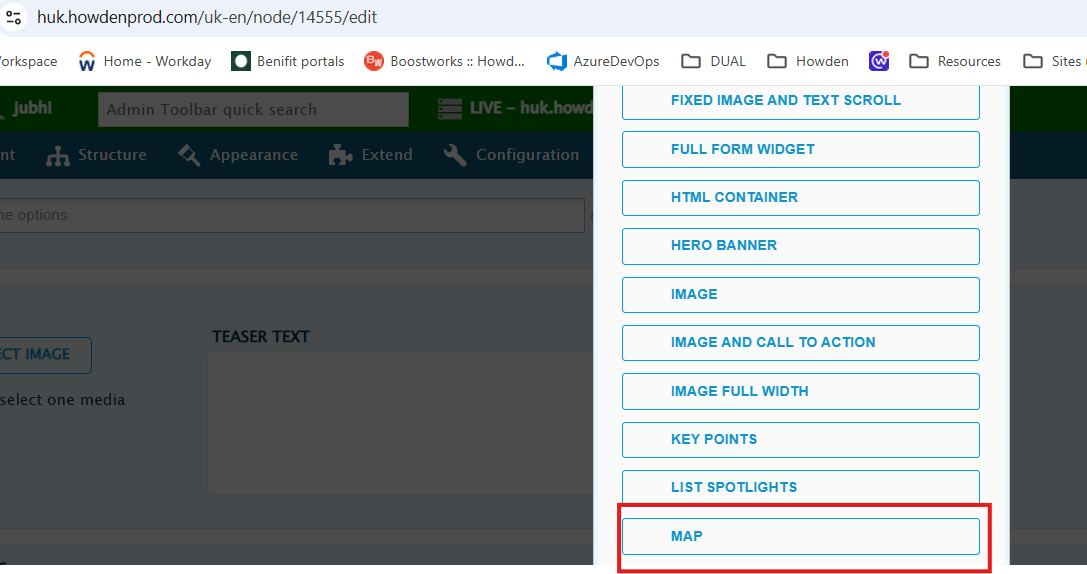
Step 2: Choose new or existing
You’ll see two options:
1. Add new content block - use this to create a map for a location that hasn’t been added before.
2. Add existing content block - use this to reuse a location already set up elsewhere on the site. A text field appears where you type the name of the existing block; matching results populate as you type. You must know the Block description to find it this way, which is why naming it clearly when you create it matters.Select "Addnew content block"

You can give your map a description and title, the description can have open/closing times or even contact number as well as a link to the map itself where users can get directions.
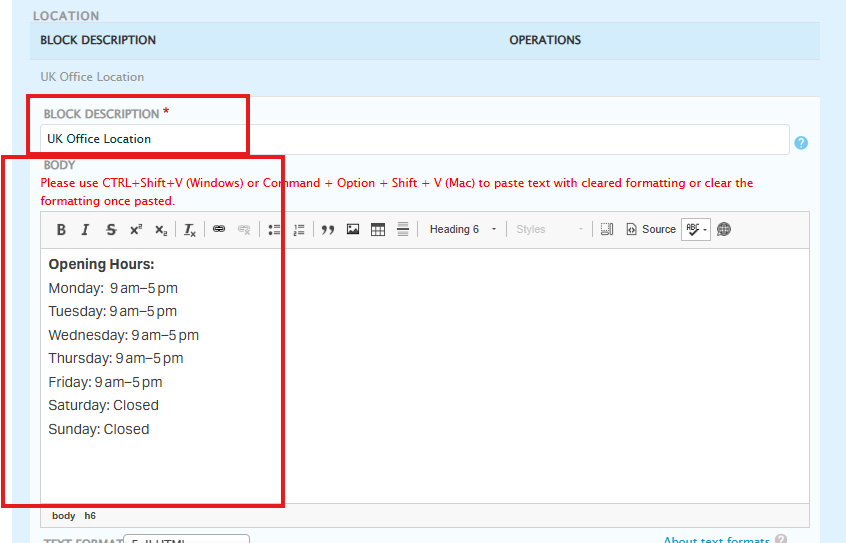
Go to google maps search for the address you would like to display, then get the location latitude and longitude.
*Small tip is to zoom in as much as possible to the address you’d like to add and then copy the longitude and latitude. Otherwise, the pin might not be in the precise location.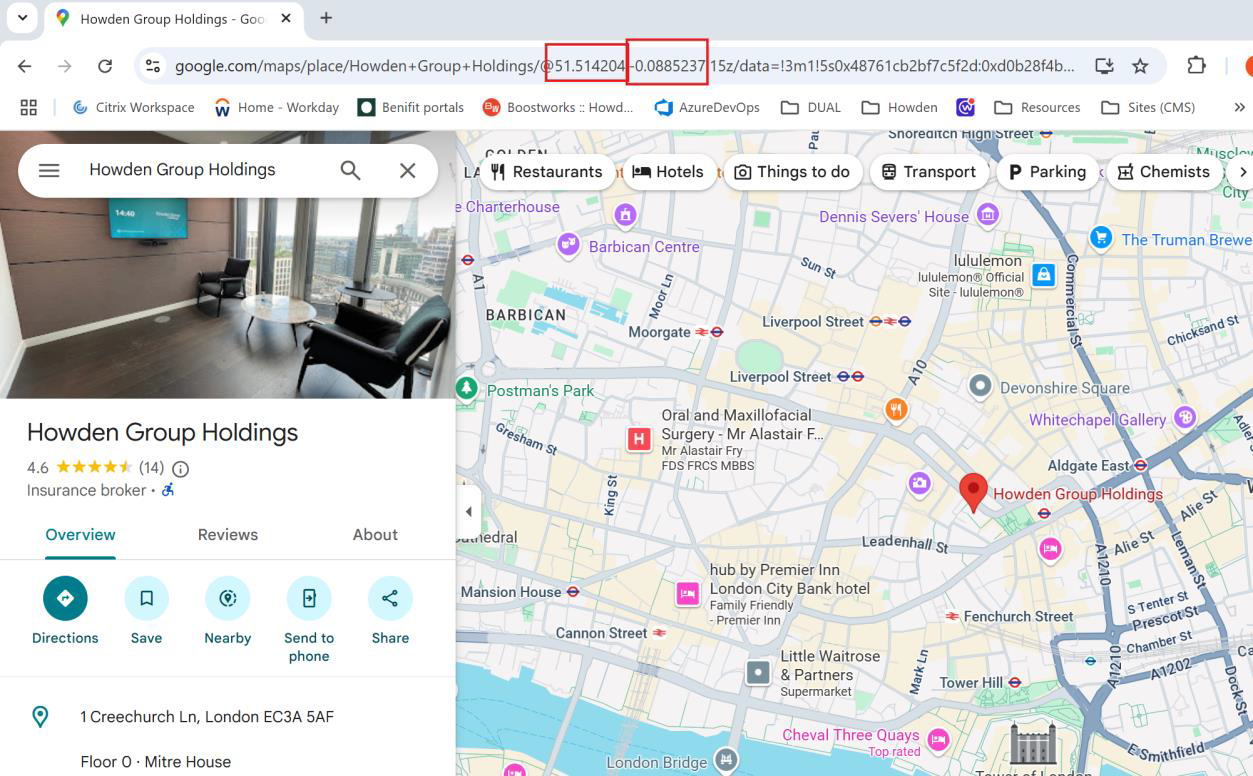
Add the latitude and longitude as shown below.
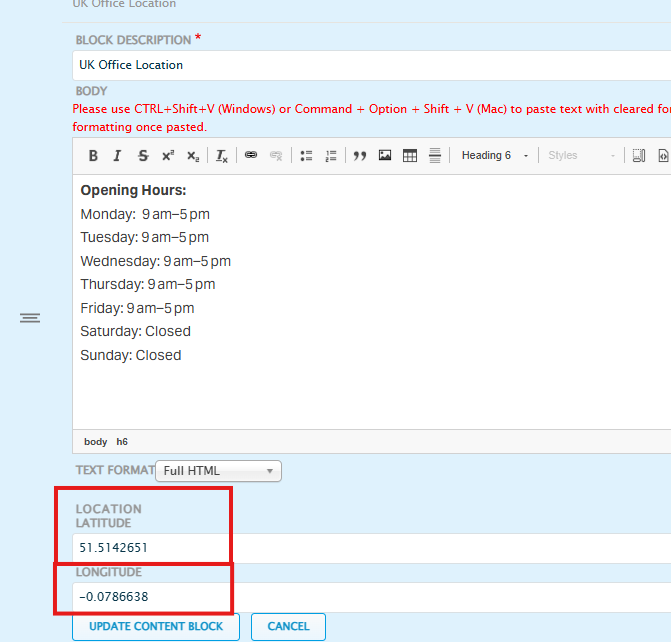
Save and publish the page. This is what you map should then look like.
Do's and don'ts
Do
Name the Block description so a colleague could guess it
The existing-block search only matches what’s typed against this field - if the name is vague or inconsistent, someone reusing the map later won’t find it by typing the obvious search term.
Don't
Don’t assume existing blocks are browsable
There’s no list to scroll through - if you don’t know the exact or near-exact name, you won’t surface it. This makes consistent naming a functional requirement, not just tidiness.