How to hide articles from news and insights?
Hiding an Article from News & Insights page, internal website search engine and from Google.
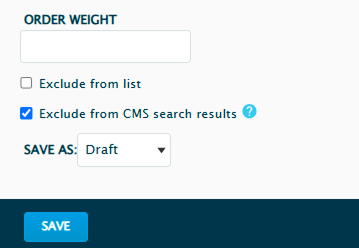
If you’d like an article to be hidden from the Search Engine which is within the Howden UK website (top right corner in the navigation), you can tick the ‘Exclude from CMS search results’ option at the bottom.
If you’d like to hide the article from the News & Insight page on the UK site (since that page is setup to pull all articles added to the site), you can tick the ‘Exclude from full Article list’ at the bottom of the page.
If you’d like to hide an article from Google, on the right-hand side panel, under Meta tags -> Advanced -> tick noindex and nofollow. This way Google will not crawl the page and it will not show in the Google’s search results.
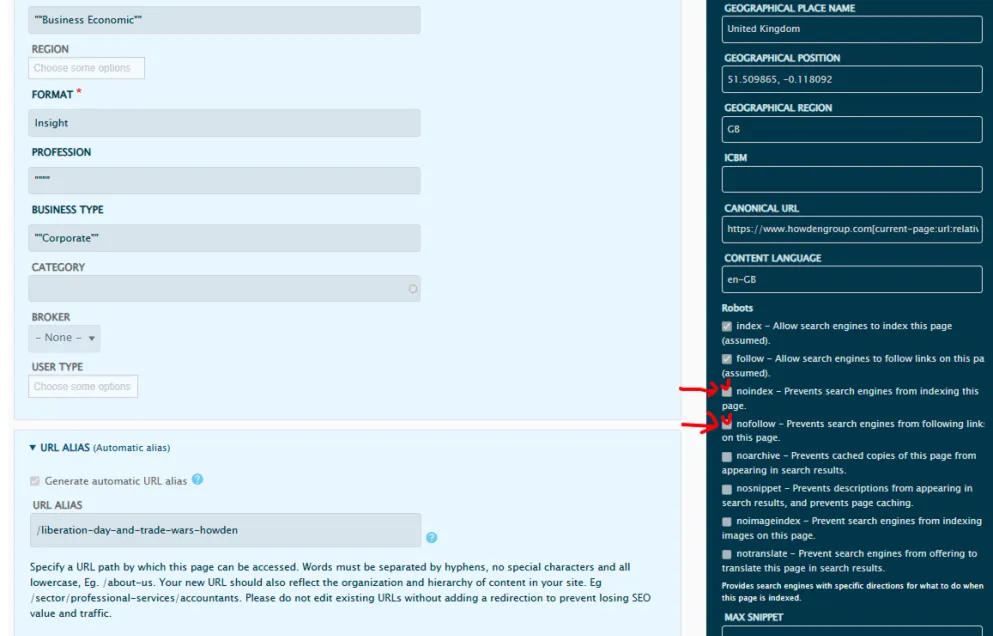
For any other page type (Cover, Sector, Basic), you can repeat the same process with the difference that you only need to tick the ‘Exclude from CMS search results’.