
How to create a product page?
To build a product page, choose the "cover page" option. This guide provides the component order, content rules, and best-practice principles for building pages that inform clients and drive enquiries.
Build product pages that convert
The Cover page type is used to build product and service pages across the Howden network. Use it when you are creating or updating a dedicated insurance product page.
Product page visitors typically arrive with moderate-to-high intent - they know roughly what they need and are evaluating whether Howden can deliver it.
The page should answer three questions in order:
- what is this product,
- can Howden be trusted to deliver it, and
- how do I take the next step.
How to build a Product page?
- Click “Content” in the second top bar, hover on Add content, select “Cover” page type.
- Once selected, it will take you to the page creation step. Follow by adding details on required fields of this page such as “Page title” and “URL ALIAS”.
The page structure shared below is an example to set up this page type for the best user experience depending on the content you want to add using the available components.
Example pages link: Planning Consultants Professional Indemnity, Cyber Insurance
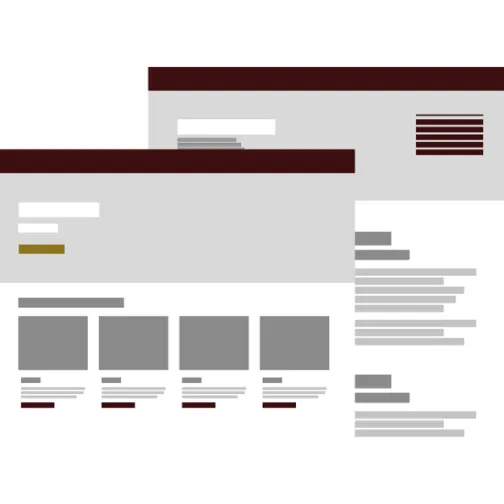
Product page layout best practice
Not sure where to start?
Use our interactive guide to explore the recommended structure for a Product page — see each section in context on an example Product page, with component suggestions and guidance for each.
SEO best practice
SEO is a key influence of what content to include and it's order within the page. Before publishing the Cover page, review the SEO guide to ensure your page is optimised for search visibility and discoverability.
Do's and don'ts
Do
Include at least one CTA bar - a product page without a contact or quote prompt has failed its primary purpose
Lead with proof - use stats, credentials, and client quotes before asking users to act
Write in the client's language - describe the product as they would describe their risk, not in internal terminology
Keep the hero headline specific - generic headlines cost you the first impression
Don't
Don't select a cover page for campaign, event, or news content - use the correct page type
Don't treat Primary and Secondary details as interchangeable - Primary covers what the product does, Secondary covers everything that supports the decision