
Stats and Facts
Highlight key messages and numbers
Best practice demo
Usage guidance
Overview
Highlight key messages and numbers
The Stats and Facts component draws the eye and helps bring credibility to your copy. This can be helpful if you're looking to highlight or emphasise key selling points and messages.
How to use it
To add a point, you must first make a custom block.
Step 1: Add a new content block
When you select the Stats and Facts panel, you’ll see two content block options:
- Add new content block
- Add existing content block
Select ‘add new content block’.
Name your content block by completing the ‘block description’ text field. Content blocks are reusable, so give yours a name unique to its use case. For example:
- Years experience Architects Professional Indemnity Howden UK
Step 2: Write your heading
Your heading could be a short phrase or a number. If you're using a number, use mathematical symbols where appropriate. For example:
- 18+
- 100%
The heading of your fact is a significantly larger font size than the supporting text. As such, it’s what draws the eye – so it’s important to make it punchy. Don't let the heading run onto a second line – that’s a maximum of approximately six words (20 characters).
Step 3: Add your supporting copy
The supporting copy gives context to the heading. This is particularly important if your heading is a number (or it won’t make sense).
When using a number for the heading, write your supporting copy so the two combine to read as a single sentence. For example:
- (Heading) 18+
- (Text) years' experience serving architect clients.
If the heading is a phrase, it may not be necessary for the two copy lines to read like a complete sentence. For example:
- (Heading) Personal service
- (Text) Speak to named contacts on direct phone numbers.
Don't let the supporting copy run onto a fourth line – that’s a maximum of 20 words (129 characters).
Make sure your supporting copy for each point is roughly equal in length – each point should occupy the same number of lines. This is important for making the component look balanced.
Optional step: Link to supporting content
You may want to link to supporting content. For example, the research piece or case study where the proof point comes from.
To create the link, complete the ‘CTA link’ text fields.
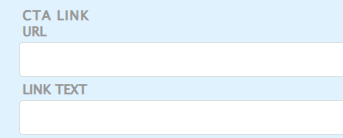
Add the supporting URL to the ‘URL’ text field.
Use the ‘link text’ field to add your button copy.
Your button copy must follow UX best practices. Effective button copy is clear and actionable. For example:
- Find out more
Do's
Use the correct symbols and abbreviations
When using a money figure, millions and billions should be abbreviated as US$Xm and US$Xbn.